Connect the plugin
Connecting takes about five minutes. You issue a site key in your dashboard, install the connector, and paste the key into WordPress. It works alongside Yoast, Rank Math, or on its own.
The connector is a thin client. The Citedon service does the scanning and decides what structured data a page needs; the plugin fetches what you have approved and adds it to your site additively. It never edits your content or overwrites markup you already have.
Before you start
- A free Citedon account. If you do not have one yet, run a scan first, then create an account.
- Admin access to a WordPress site.
- The connector plugin. Download it here, or search for Citedon Connector in the WordPress plugin directory.
Connect in four steps
1. Create a project and issue a site key
In your Citedon dashboard, open Projects, then your project. In the Connect WordPress card, click Issue key.
Copy the three values shown: the Core URL (
https://citedon.com), your Project ID, and the Site key. The site key is shown once, so copy it now. You can always click Rotate key later to issue a new one.2. Install the Citedon Connector
In WordPress, go to Plugins, Add New. Search for Citedon Connector and install it, or click Upload Plugin and choose the
citedon-connector.zipyou downloaded. Then click Activate.3. Paste your credentials
Open Settings, Citedon. Paste the Core URL, Site key, and Project ID into the matching fields, then click Test connection.
A success notice reads Connected to project, followed by your project id and domain. If it fails, see Troubleshooting.
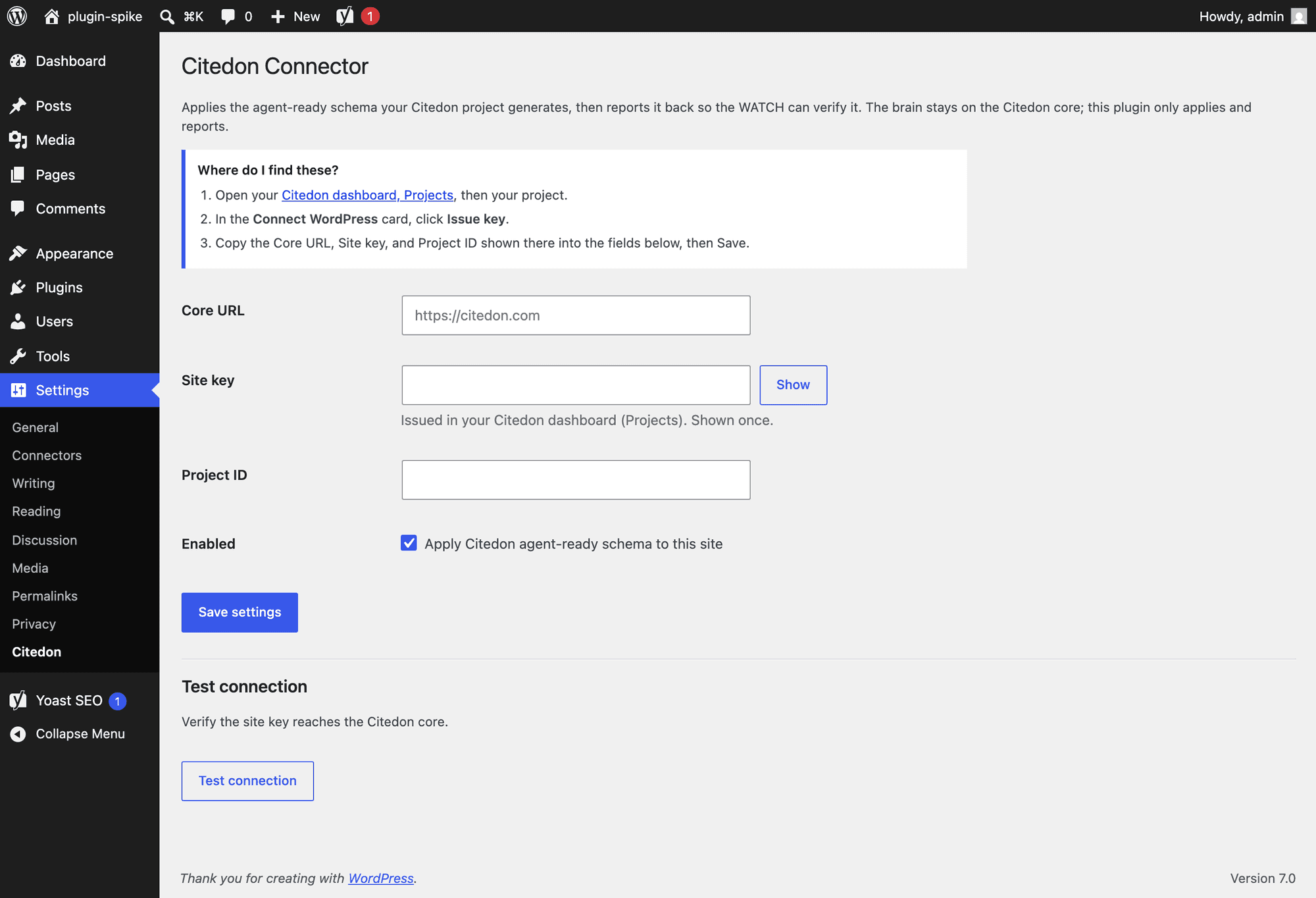
The Citedon settings screen: paste your Core URL, Site key, and Project ID, then enable. 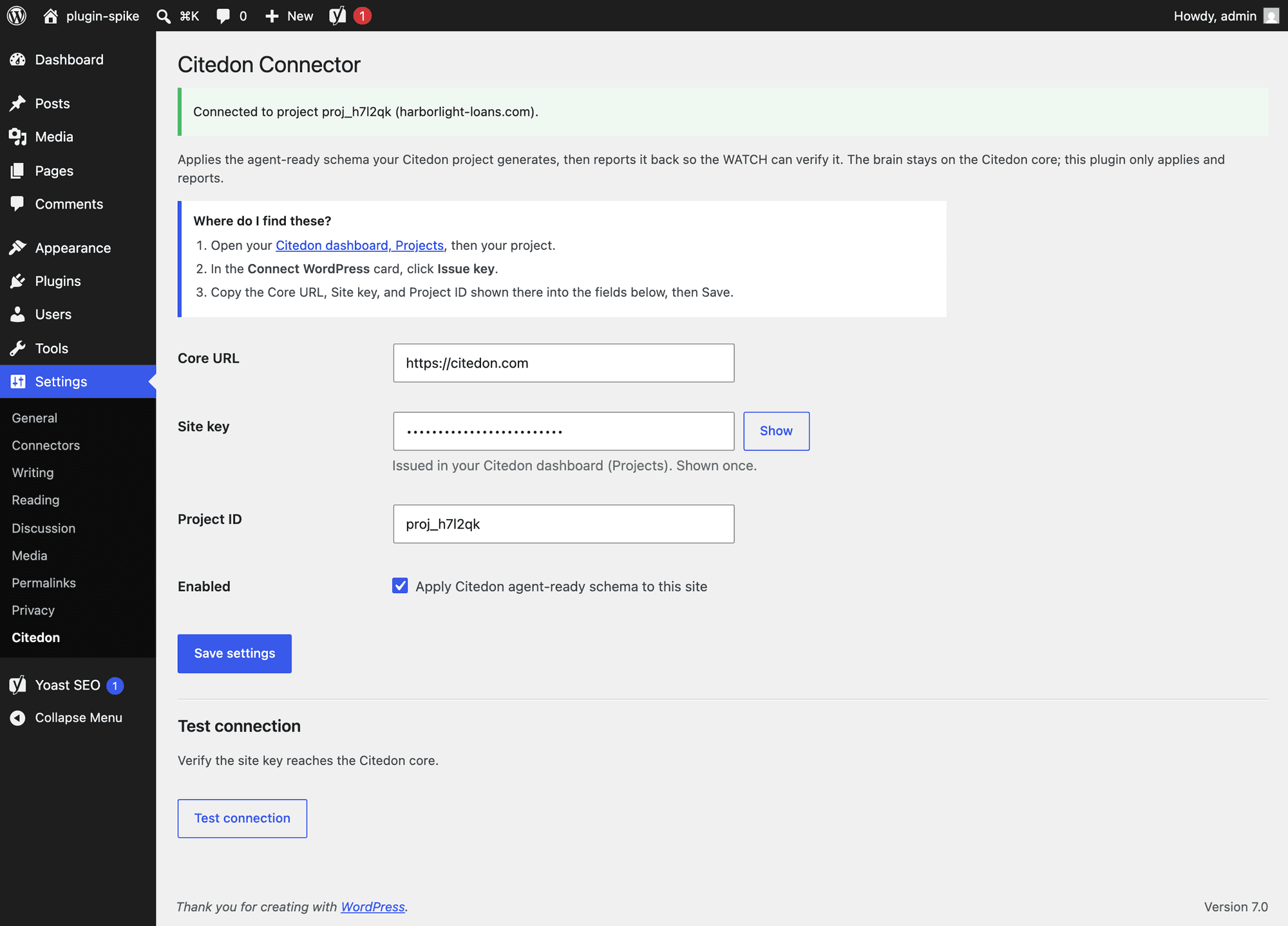
Test connection confirms the site key reaches the Citedon service. 4. Turn it on
Tick Apply Citedon agent-ready schema to this site, then Save settings. Citedon now serves the agent-ready layer your project approves and re-checks it as your content and the engines change.
Yoast, Rank Math, or on its own
The connector detects your setup and adapts. With Yoast or Rank Math present, it wires the missing structured data into their existing schema graph, so there is one clean graph and no duplicate types. With no SEO plugin, it runs in own-output mode and emits its own graph from scratch. You do not configure this; it is automatic.
Connected? Next, run a scan to see where your pages stand.