Stay ready: the watch
A scan is a snapshot. The watch is what keeps you ready: it re-checks your site on a schedule and tells you when your readiness or citation rate drifts, so being the answer is something you maintain, not fix once.
Three things drift after you are ready: your own site as you edit and add content, the engines themselves as models update, and the fixes Citedon applied. The watch covers all three so you find out before your readiness quietly slips.
Monitoring status
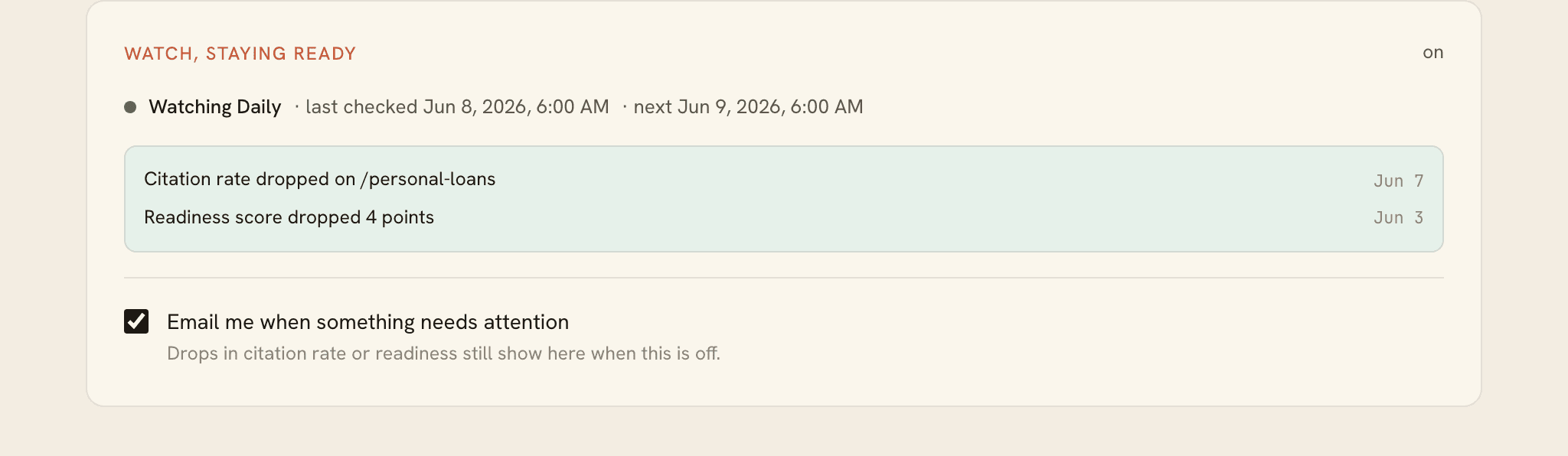
On a connected project, the Watch card shows whether monitoring is on or off, the cadence (for example Watching daily), and when it last checked and will next run. Cadence follows your plan: weekly on Starter, daily on Pro, Growth, and Scale.
The alerts feed
Below the status is the alert feed. Citedon raises an alert when it detects a meaningful change:
- Citation rate dropped. Fewer engines returned your page than at the last check.
- Readiness score dropped. A structural change pulled your score down.
- Dropped out. A page that engines returned before is no longer returned.
When nothing has slipped, the feed reads No drops in citation rate or readiness since the last check.
Email alerts
The Watch card has one control: Email me when something needs attention. Turn it off and drops still show in the feed; you just stop getting the email. There is no cadence selector, because cadence follows your plan.
New here? Start at Connect the plugin, or see Troubleshooting if something is not behaving.